 |
| |||
|
Folder name does not display in Windows Explorer If you cannot see the text for the name of the folders in Windows Explorer, try the following:- Open "My Documents", "My Pictures" or "My Computer" (or another folder) Click "Tools" --> "Folder Options" (If you cannot see tools at the top in the Menu Bar then press the ALT key on your keyboard once and it should appear) 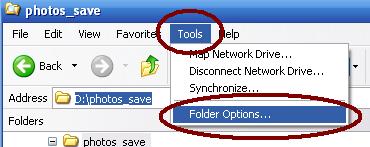
This displays 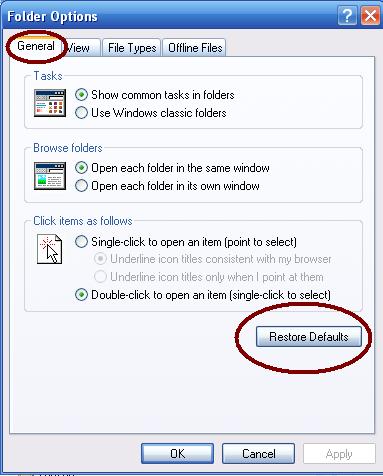
Now press the "Restore Defaults" button Click "OK" IP | ||||
|
||||