 |
| |||
|
Google this page is not a duplicate IP Address Conflict FREE DOWNLOAD To Display your PC Local and Public IP Address Download this Free APP ==> CLICK HERE An error can occur when 2 computers attempt to obtain the same IP Address on a router. For a Netgear Router the settings can be changed by clicking the LAN IP Setup. A similar setting can be found in most routers. If you cannot find the setting try setting the ip address for each computer in 1.Control Panel --> Network Connections 2. Right click on the connection you are using (LAN or Wireless) 3. Click on TCP/IP 4. Click properties 5. Set the correct values relating to your router address in this screen 6. Click OK 7. Click OK 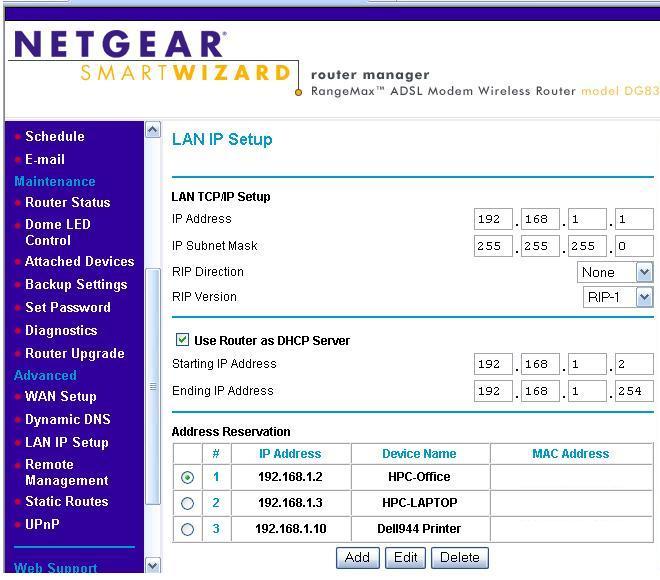 IP IP | ||||
|
||||